
Handle an incident
An alert says something is wrong. An incident is the record of what you did about it — who owned it, what was found, and how it ended.
Before you start
Section titled “Before you start”Nothing. Anyone can raise an incident, and raising one early is better than raising a tidy one late.
1. Raise it
Section titled “1. Raise it”Open Incidents and select Report Incident.
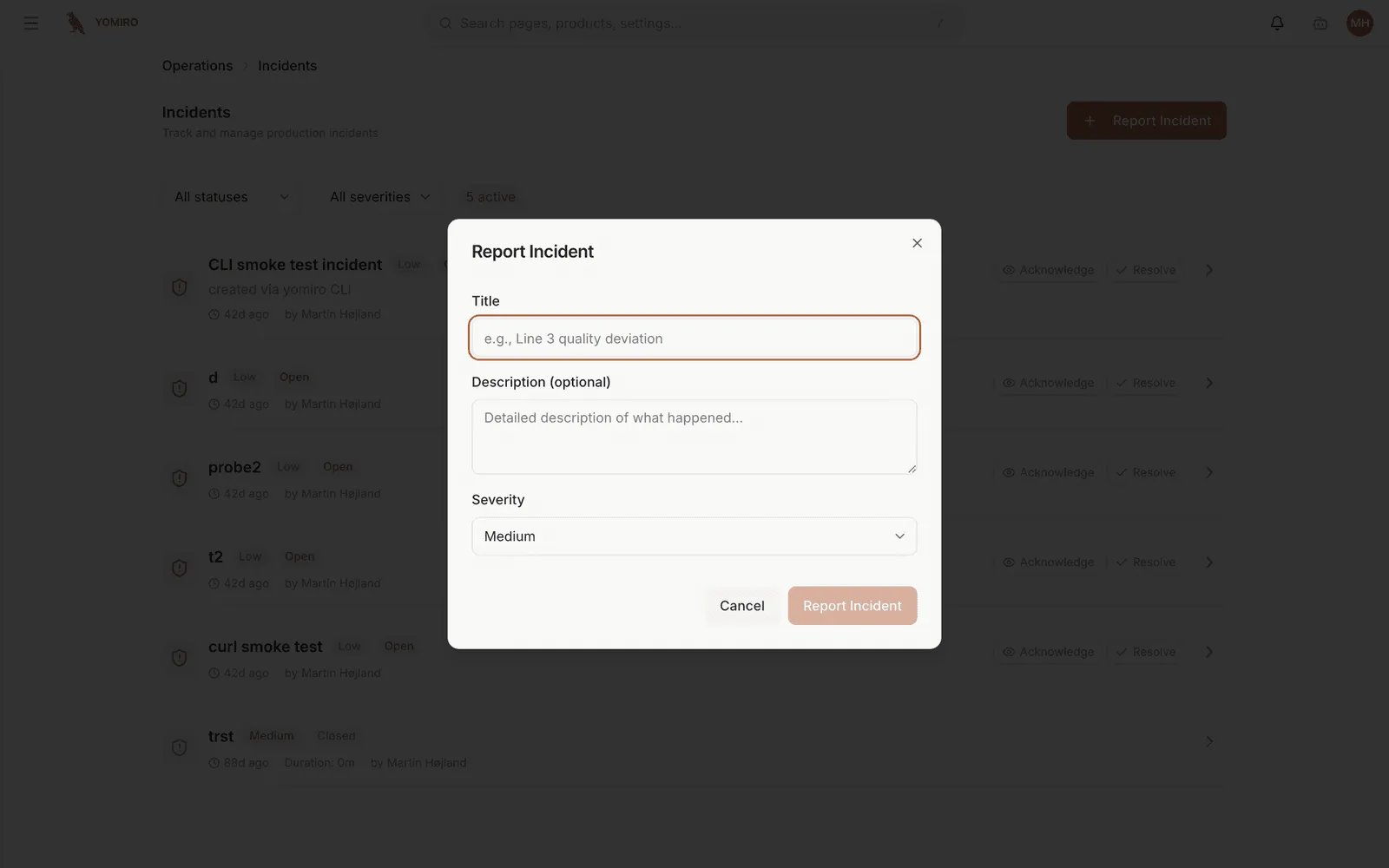
Incidents also arrive on their own from alert rules that fired, so the list mixes what people raised with what the platform raised.
Give it a title someone can act on. “Line 3 defect rate climbing since 06:00” tells the next person where to start; “quality issue” does not.
2. Set severity for the reader
Section titled “2. Set severity for the reader”| Severity | Means |
|---|---|
| Critical | Production stopped, or bad product is shipping |
| High | Serious, needs attention this shift |
| Medium | Real but contained |
| Low | Worth recording, not worth interrupting anyone |
3. Work it through the states
Section titled “3. Work it through the states”Open → Acknowledged → Investigating → Resolved → Closed| State | Means |
|---|---|
| Open | Raised, nobody has picked it up |
| Acknowledged | Someone has taken it |
| Investigating | Actively being worked |
| Resolved | The problem is fixed |
| Closed | Nothing outstanding |
Move it to Acknowledged as soon as you take it. That is the signal that stops three people investigating the same thing.
4. Leave the record
Section titled “4. Leave the record”The detail page holds the timeline, the status history, and the devices and locations involved.
Write down what you actually found, including the wrong turns. The next person to see this failure will be reading your notes at 3am, and the thing that helps them most is what you ruled out.
5. Filter to what is yours
Section titled “5. Filter to what is yours”The list filters by severity and status, both defaulting to all. The everyday view is Open plus Acknowledged plus Investigating — the work in front of you, without the closed history.
Next steps
Section titled “Next steps”- Create an alert so this is caught sooner next time
- Incidents reference